FeedWind Setup
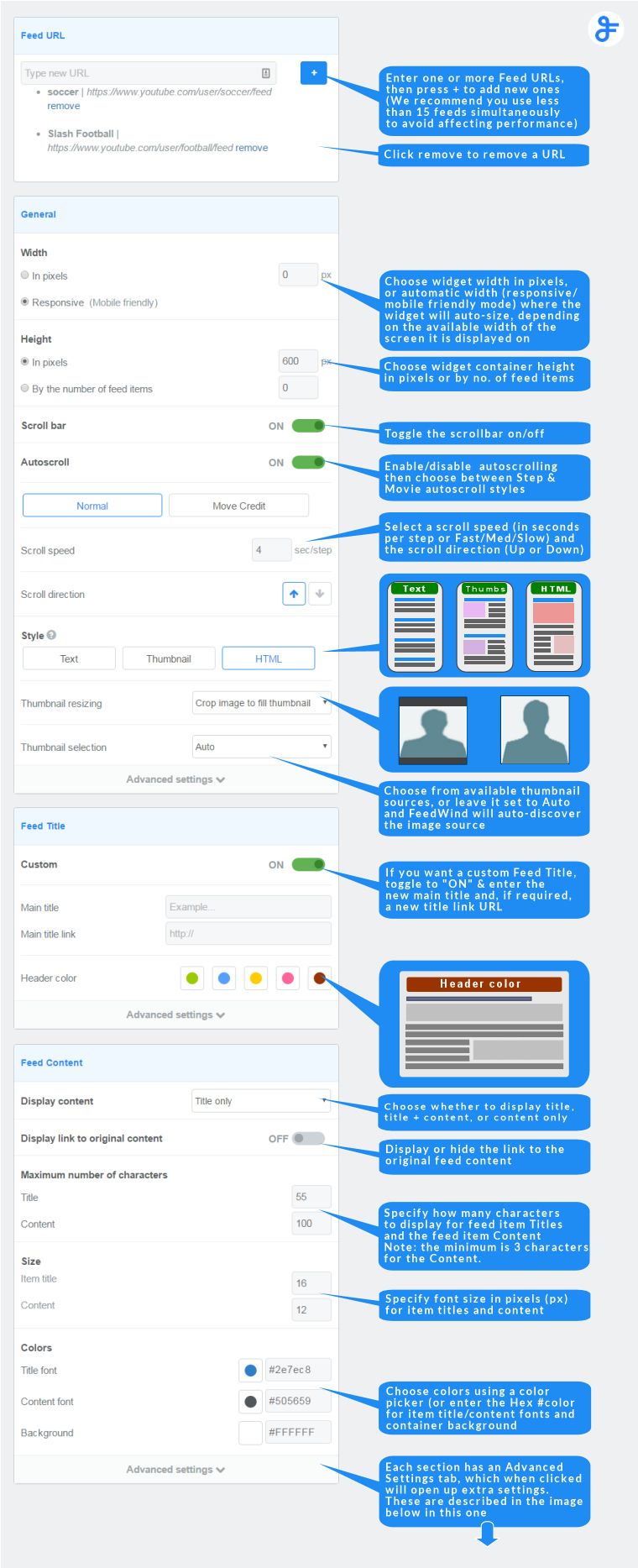
Below are images of the setup screen with added notes to explain the settings
Basic setup options
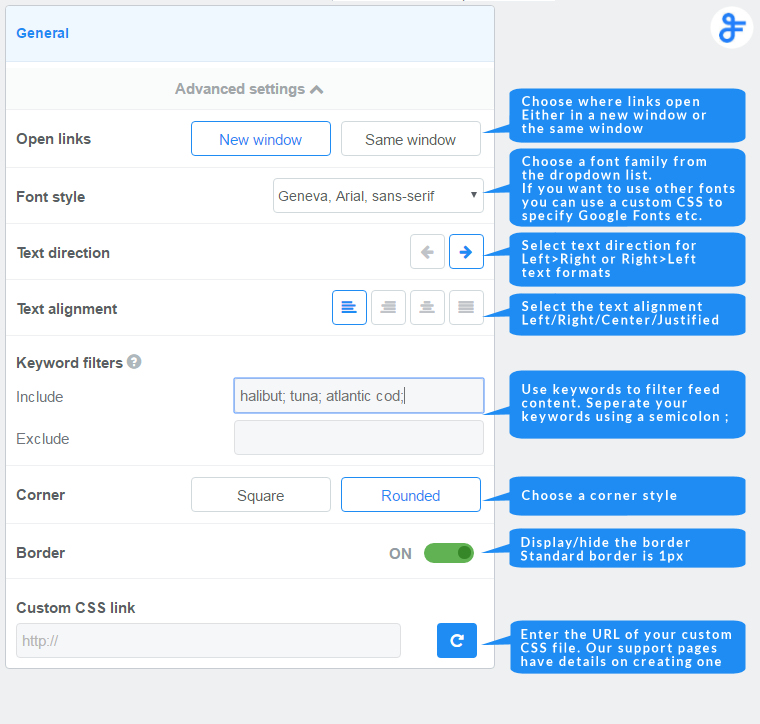
Advanced Settings – General section
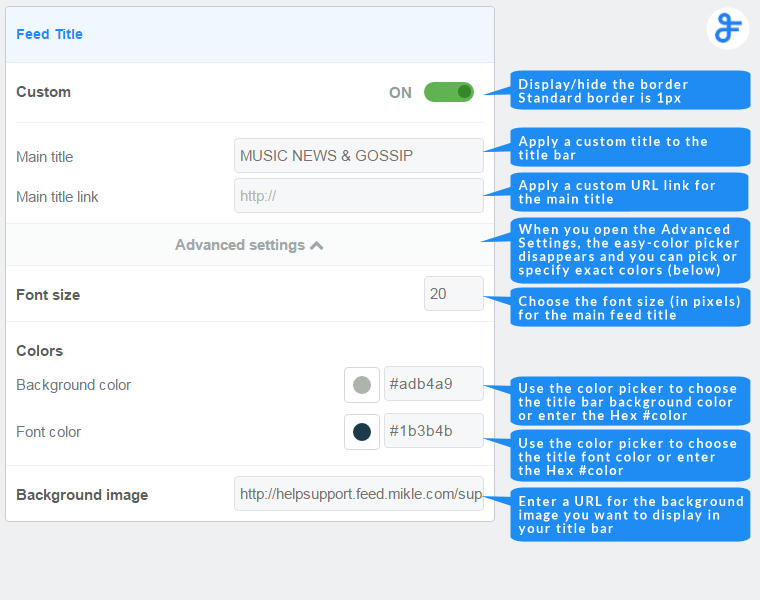
Advanced Settings – Feed Title section
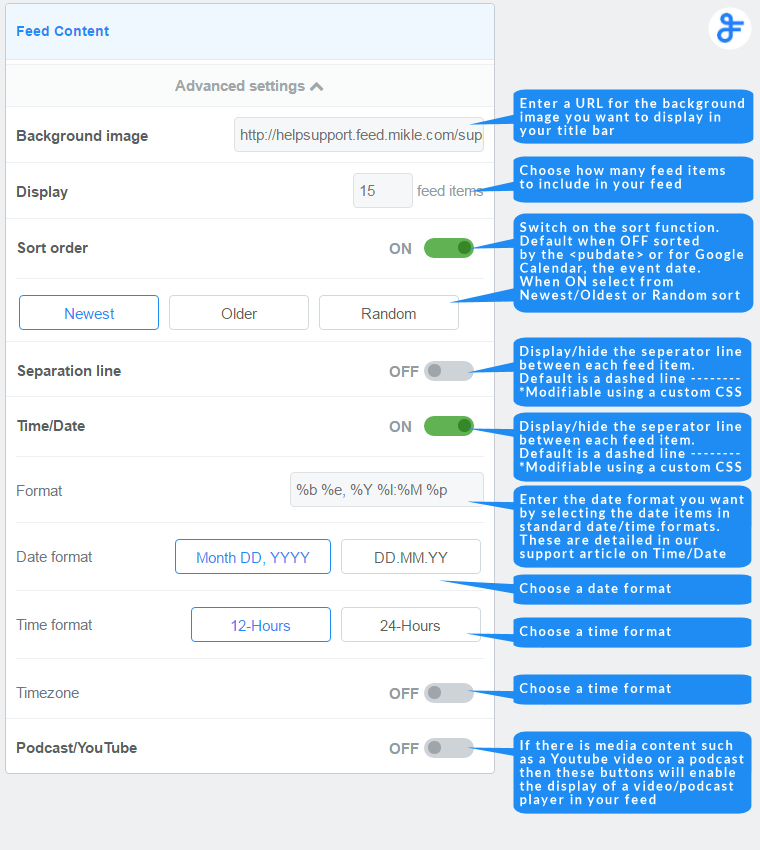
Advanced Settings – Feed Content section
Related posts
Do You Need to Parse RSS or Use a Ready‑Made Widget?
RSS parsing vs RSS widget is a common dilemma for developers and marketers wanting fresh content like news or blogs...

How to Dynamically Display WooCommerce Products on Your Website Using FeedWind
Enhancing your website with dynamic product displays can increase user engagement and drive sales. By integrating WooCommerce with FeedWind,...

How to Create a Vimeo Video Widget for Your Website – Easy Guide
Creating a Vimeo video gallery widget & display on your website is easy, even if you’re not very tech-savvy!...