Do You Need to Parse RSS or Use a Ready‑Made Widget?
Contents
RSS parsing vs RSS widget is a common dilemma for developers and marketers wanting fresh content like news or blogs on their site. Both options work well when they fit your skills and goals – let’s break it down. If you want fresh content on your site from blogs, news, podcasts, or industry updates, you really have two choices: build your own RSS parser or drop in a ready‑made widget. Both approaches can work brilliantly but only when they match your skills, resources, and goals.
What “parsing RSS” really means
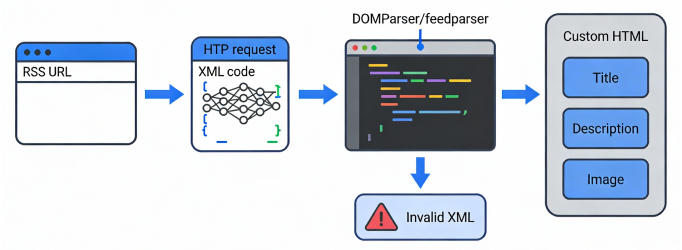
RSS looks simple on the surface: paste a feed URL, get a list of posts. Under the hood, though, parsing means writing code to fetch that URL on a schedule, read the raw XML, handle dates, images, media, and links, then render everything with your own HTML, CSS, and JavaScript.
For developers, that level of control can be powerful. You can merge multiple feeds, filter by keywords, store items in your own database, or hook everything into your analytics and personalization stack. But that power comes with responsibility: every change in the source feed, every encoding quirk, and every rate limit is now your problem to solve.
What an RSS widget actually is
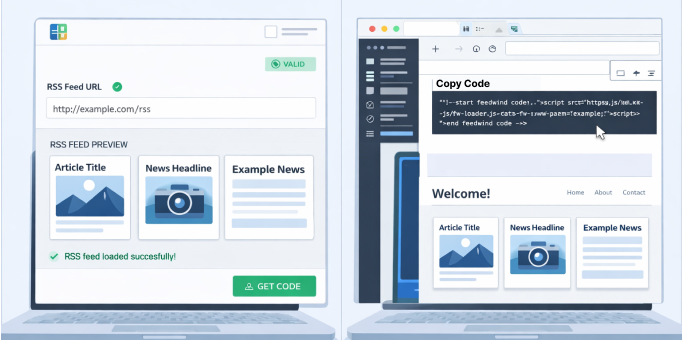
An RSS widget handles everything fetch, parse, display with a simple embed code. Getting started with FeedWind RSS widget shows how to set it up in minutes for any site. An RSS widget is a prebuilt component that does all of the heavy lifting, parsing, formatting, and error handling then gives you an embed code you can paste into your site. With FeedWind, for example, you paste a feed URL, tweak layout and design in a visual editor, then copy one JavaScript or iframe snippet into your page, sidebar, LMS, or CMS widget area.
Widgets are designed so non‑technical users (marketers, educators, agencies, small businesses, and news publishers) can get live feeds running in minutes, without touching any backend code. Tools like FeedWind also add extras that would take significant dev time to replicate: multiple layouts, color and font customization, responsive design, and automatic updates when you change settings in the dashboard.
When developers should parse manually
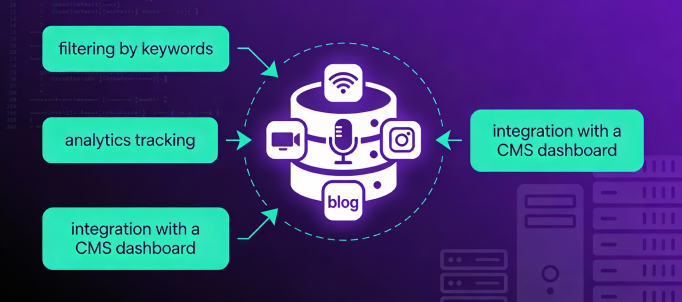
Parse manually for deep CMS integration or unique logic – RSS parsing vs RSS widget favors build when control is key. If you write code professionally or work closely with developers, there are clear situations where rolling your own parser makes sense.
- You need deep integration with internal systems.
- Example: Ingest RSS into your CMS, enrich it with tags, run moderation workflows, or trigger webhooks when new items arrive.
- You need a completely custom UX or logic.
- You might want to blend several feeds, rank items with your own algorithm, or run A/B tests on how content is displayed.
- You must own every part of the stack.
- Highly regulated industries or large enterprises sometimes prefer in‑house code and hosting for compliance and security reasons.
In these situations, the flexibility of a custom parser outweighs the extra effort. You accept that someone will have to handle XML quirks, broken feeds, caching, and error recovery because the business value justifies the build.
When non‑technical users should choose widgets
Widgets win for speed: no code, instant embeds for marketers and agencies. Most marketers, educators, agencies, and small businesses simply need a reliable way to keep their sites updated with fresh content. They do not want to think about XML, HTTP status codes, or cron jobs.
For these teams, a ready‑made widget is the smart choice:
- No coding or backend setup.
- Fast time‑to‑value.
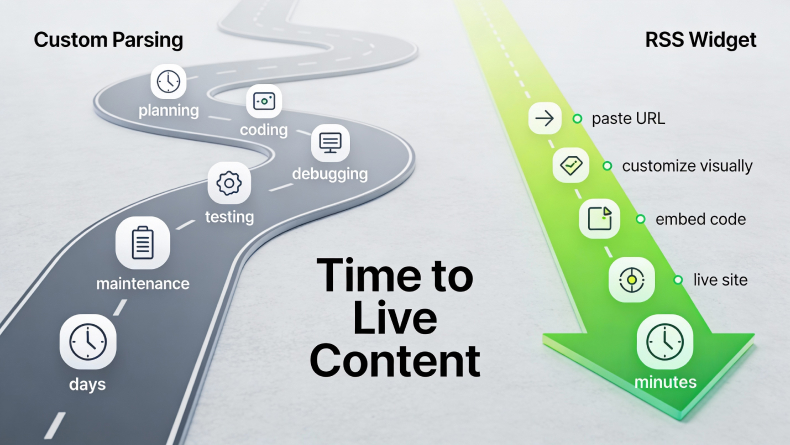
- You can go from idea (“let’s show industry news on our homepage”) to live widget in under an hour, instead of waiting days or weeks for dev bandwidth.
- Easy design control.
If your team lives in tools like WordPress, Webflow, Wix, Blackboard, or school/enterprise portals, widgets feel natural copy, paste, publish. Developers can stay focused on strategic projects instead of maintaining feed scripts.
Cost and time: build vs. buy
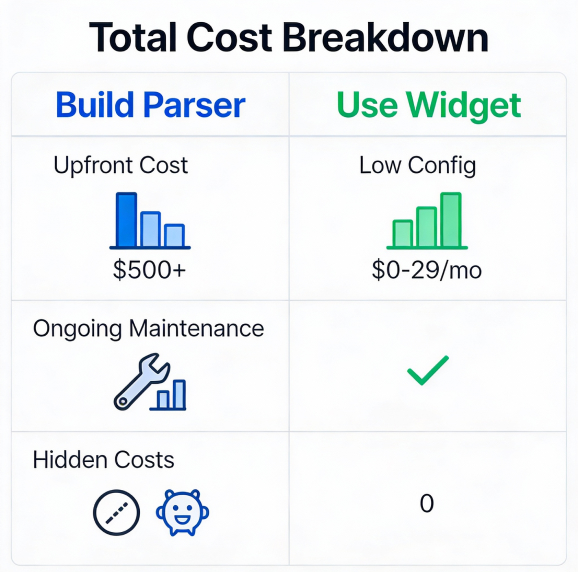
RSS parsing vs RSS widget shows widgets save on dev hours and maintenance predictable costs vs. ongoing fixes. Looking at cost purely as “tool price” is misleading. Developer hours are expensive, and maintenance is a recurring cost.
- Manual parsing (build):
- Upfront: Designing the data model, implementing fetch and parse logic, building a front‑end component, adding caching, and handling errors and edge cases.
- Ongoing: Feeds change format, move URLs, add namespaces, or start returning errors. Someone needs to monitor, debug, and deploy fixes.
- Hidden costs: Handling invalid XML, encoding issues, missing fields, and rate limits can quietly consume many unplanned hours over a year.
- Widgets (buy):
- Upfront: A bit of configuration time and, in some cases, a subscription fee.
- Ongoing: The provider handles infrastructure, parsing updates, and edge‑case handling as part of the service.
- Predictability: You trade open‑ended dev work for a predictable, often lower, operational cost especially when you factor in multi‑site or multi‑client usage.
For most organizations, especially agencies and news providers running multiple sites, a widget’s “total cost of ownership” is significantly lower than a bespoke parsing stack that has to be kept alive year after year.
Maintenance and common parsing headaches
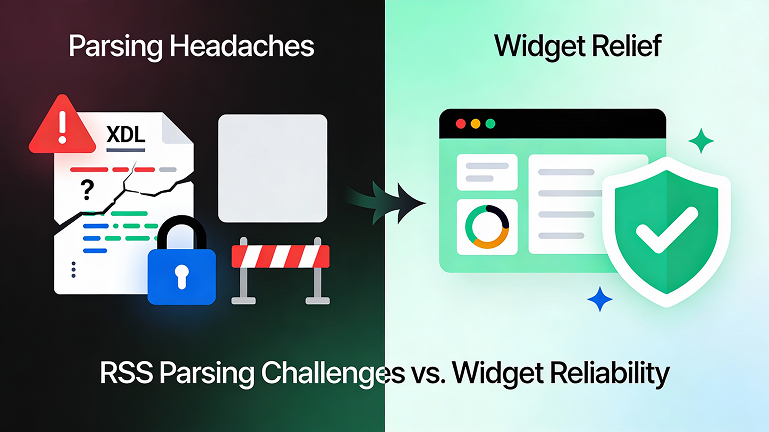
Parsing RSS yourself means living with all of RSS’s oddities in the wild. Even mature feeds can behave unexpectedly:
- Invalid or inconsistent XML that breaks strict parsers.
- Encoding problems that turn non‑English characters into gibberish.
- Feeds that omit fields you expect (images, dates, descriptions).
- Rate limits or blocking when you poll too often or from shared infrastructure.
Robust widget platforms invest heavily in abstracting these problems away. FeedWind, for example, lets you aggregate multiple feeds, filter content, and style widgets using CSS, while the service itself manages the lower‑level parsing and update logic. Parsing hits XML errors and rate limits; widgets handle it. See how RSS and widgets affect SEO for freshness benefits. This means non‑technical teams get stable, always‑on content without needing to understand why a particular feed started throwing 403s last night.
A simple rule of thumb
Start with an RSS widget for quick wins; scale to parsing if needed. FeedWind makes RSS parsing vs RSS widget decisions easy. If your primary question is “How can we show useful live content on our site quickly and reliably?” a ready‑made RSS widget is almost always the better answer. You get speed, stability, and design flexibility with almost no engineering overhead.
If your primary question is “How can we deeply integrate RSS content into custom systems and workflows?” then a hand‑rolled parser gives you the control you need just be sure you budget for the full lifecycle, not just the initial build.
For many teams, a hybrid approach works best: start with a widget like FeedWind to validate the idea, see engagement lift, and keep stakeholders happy. If you eventually outgrow what an embed can do, that is the perfect time to consider custom parsing with a clear business case and real‑world data to back it up.
Related posts

How to Dynamically Display WooCommerce Products on Your Website Using FeedWind
Contents1 Step 1: Access Your WooCommerce Product RSS Feed2 Step 2: Add Product Images to Your RSS Feed3 Step...

Embedding YouTube Videos: Easy Tips for a Smooth Experience
Contents1 Step 1. Picking the Right Videos2 Step 2. Optimizing Video Settings3 Step 3. Customizing the Appearance4 Step 4....

Leveraging RSS Feeds for Local SEO: Strategies for Targeting Local Audiences with Practical Examples
Contents1 Understanding Local SEO and its Importance2 Introduction to RSS Feeds and Local SEO3 Creating Location-Specific RSS Feeds4 Integrating...